Getting Started
ThinkERD is an all-in-one data modeling platform for data architects and modelers. From precise ERD design based on Barker's Notation, to real-time team collaboration and data standardization — all the tools you need for data structure design are available in a single browser.
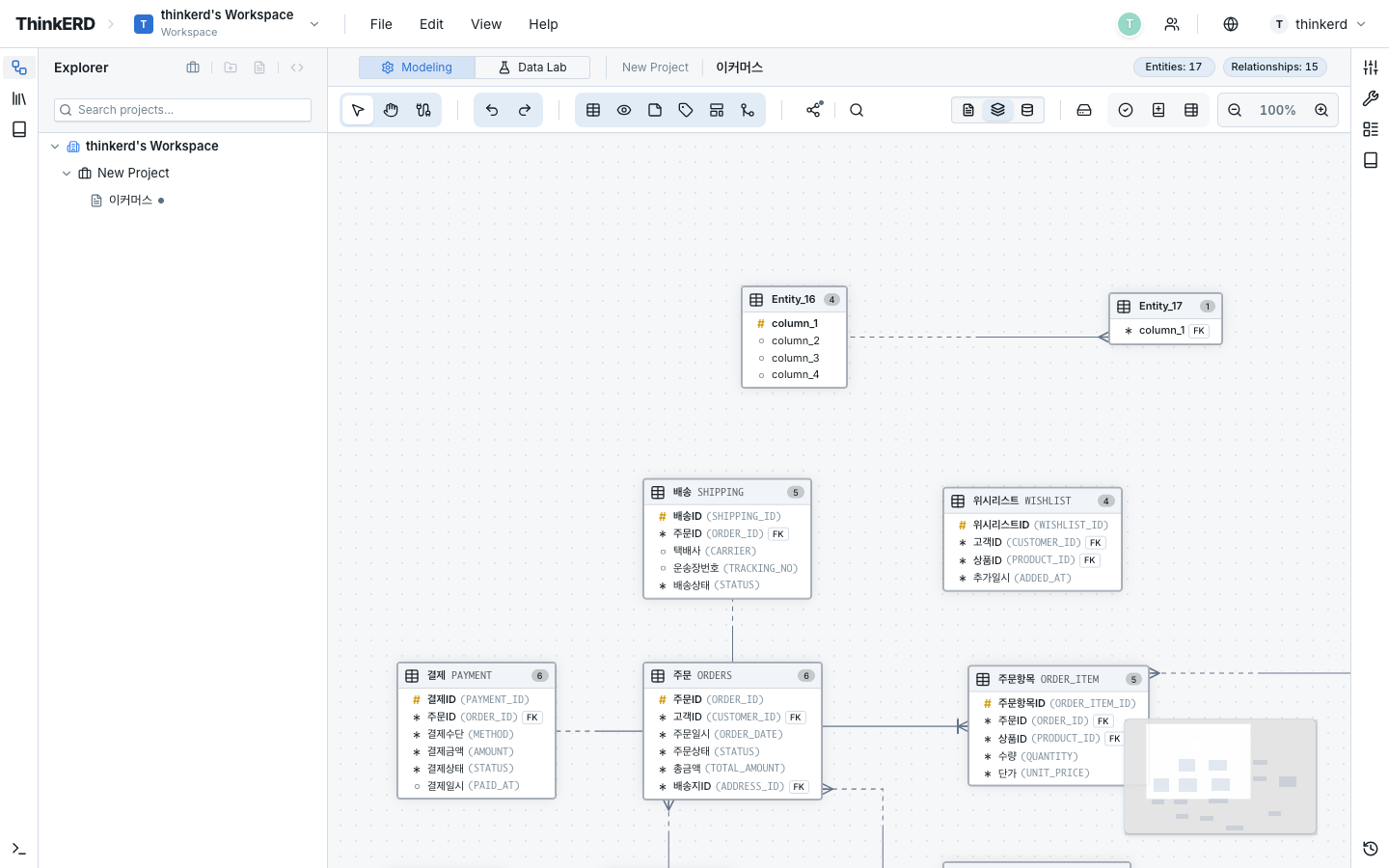
Get Started in 5 Minutes
-
Step 1 — Sign Up
Sign up with email or a social account, and a workspace is instantly created for you. No installation or configuration required.
-
Step 2 — Create Your First ERD
Create a project, define entities and relationships to complete your first data model. This single tutorial covers the core workflow.
-
Step 3 — Team Collaboration
Invite team members to simultaneously edit the same diagram. Cursors and selections are shared in real time, so you can follow each other's workflow without extra communication.
Core Concepts
ThinkERD resources are organized in the following hierarchy:
Workspace                       ← Team / Organization unit
  └─ Project                    ← Business or system unit
       ├─ Folder                ← Logical grouping (optional)
       │   ├─ Diagram A
       │   └─ Diagram B
       └─ Diagram C
| Concept | Description | Example |
|---|---|---|
| Workspace | Top-level container for a team or organization. Manages members and permissions. | Design Team, Data Governance Team |
| Project | A work unit containing one or more diagrams. | Next-gen CRM, Order Management System |
| Diagram | An ERD model that visually represents entities and relationships. | Customer Domain ERD, Payment ERD |
| Entity | Corresponds to a database table, containing attributes (columns). | Customer, Order, Product |
| Barker's Notation | The ERD notation adopted by ThinkERD, supporting UID Bars, identifying/non-identifying relationships, exclusive arcs, and more. | — |
New to ThinkERD?
Start with the Create Your First ERD tutorial. It walks you through workspace creation, entity and relationship definitions — the core workflow — step by step.
What ThinkERD Offers
| Area | Feature | How It Differs |
|---|---|---|
| Modeling | Barker's Notation-based ERD design | Supports advanced notations including subtypes and exclusive arcs |
| Collaboration | Real-time concurrent editing | Live cursor and selection sharing with conflict-free auto-merge |
| Standardization | Three-tier standard management: Words, Terms, and Domains | Physical names auto-generated from logical name input |
| Analysis | In-browser SQL/SPARQL execution | Instant analysis with virtual data — no external DB required |
| Sharing | Read-only viewer, iframe embed | Auto-generated data dictionary with external sharing |